4G netipulk

Linuxi ja andmesidega seotud küsimused

Moderaator: Moderaatorid

Bushido
Pingviini külastaja
Pingviini külastaja
Postitusi: 17
Liitunud: 28.10.2022, 15:29

Postitus Postitas Bushido »

643 kirjutas:1. võrguhalduse (võrguseaded) rakendusega pead ka tegema mobiilile profiili
Pilt

2. modem-manager-gui

ise kasutasin seda E173 jaoks graafilise (üpris sarnane windowsi graafilise programmiga)
sellega saab sms saata ja ühendust aktiveerida.

173 ajal windowsi draiverid linuxis veel ei avatud..need on paigladusfailid windowsi jaoks ja neid linux ei vaja.
1. Võrguühenduste rakendus näitab, et mobiilandmeside on viimati aktiveeritud/kasutatud 4 minutit tagasi aga Ubuntu säteterakenduse alt ei leia Mobiilandmeside sätet. Isegi siis, kui kirjutada Mobiilandmeside või Mobile.... Ubuntu säteterakenduse otsingukasti. Mäletan, et kui esimest korda kasutasin netipulka, siis ilmus vastav säte Ubuntu säteterakendusse ja Wi-Fi valiku alla üleval paremas süsteemisalves, kus aku protsent jne aga enam mitte.

2. Modem-manager-gui ei avane enam kiiravamise otsingupaneeli alt, kui klõpsata programmi ikoonil. See avaneb vaid terminalist käsu "modem-manager-gui" peale ja siis ei tuvasta modem-manager-gui ka netipulka ehk avaneb vaid õpetuse https://askubuntu.com/a/1087222/1630314 kasutamise peale.
overflow
Pingviini kasutaja
Pingviini kasutaja
Postitusi: 56
Liitunud: 05.04.2020, 19:57

Postitus Postitas overflow »

Mis vastuse sellele käsule saad?
#sudo usb_modeswitch -J -v 0x12d1 -p 0x1506

Ja su vastuses oli kasutatud ProductID 1505, aga peaks olema 1506 mis on ka seal logis kirjas.
Bushido
Pingviini külastaja
Pingviini külastaja
Postitusi: 17
Liitunud: 28.10.2022, 15:29

Postitus Postitas Bushido »

overflow kirjutas:Mis vastuse sellele käsule saad?
#sudo usb_modeswitch -J -v 0x12d1 -p 0x1506

Ja su vastuses oli kasutatud ProductID 1505, aga peaks olema 1506 mis on ka seal logis kirjas.

Kood: Vali kõik

Look for default devices ...
 Found devices in default mode (1)
Access device 024 on bus 008
Get the current device configuration ...
Current configuration number is 1
Use interface number 0
 with class 255
Error: can't use storage command in MessageContent with interface 0; interface class is 255, expected 8. Abort
Kas abi võib olla neist: https://github.com/brektrou/rtl8821CU/issues/73 või https://www.draisberghof.de/usb_modeswi ... php?t=2747 ?
Kui jah, kas võin sealseid lahendusi sõna-sõnalt kasutada või pean midagi muutma?
overflow
Pingviini kasutaja
Pingviini kasutaja
Postitusi: 56
Liitunud: 05.04.2020, 19:57

Postitus Postitas overflow »

Esimesest lingist kasu pole. Teisest ka tõenäoliselt mitte.

Paras porno on kokku tulnud.. Hakkame otsast peale :)

Käivita arvuti ilma USB pulgata. Logi sisse ja oota kuni töölaud ette tuleb.
Pane USB pulk sisse ja oota 10 sek.
Ära midagi muud tee ja toimeta samas järjekorras
1)
Siis kirjuta terminali
# sudo lsusb
ja kopeeri siia.

2)
Vaata kas USb pulk on nö. storage mode. Kas pulga peale klikkides '.exe jms faile on pulgal näha. Kirjuta kas näed faile.
Siis kirjuta uuesti terminali
# sudo lsusb
ja kopeeri siia.

Lisaks kirjuta oma pulga täpne mudel kui tead. (See peaks kirjas olema kuskil pulga kleepsu peal.)
643
Vana Pingviin
Vana Pingviin
Postitusi: 415
Liitunud: 08.07.2019, 20:40

Postitus Postitas 643 »

Mul ühel arvutil oli usb pesa kulunud ja ma kasutasin teist usb pesa.

Ka E392 saab wvdial kasutada.
https://jivoi.github.io/2015/06/26/huaw ... ith-linux/

sätetes pead jälgima, et kas Modem = /dev/ttyUSB0 asub seal.


Kui windowsis modem töötab, siis ka linuxis töötab.
Bushido
Pingviini külastaja
Pingviini külastaja
Postitusi: 17
Liitunud: 28.10.2022, 15:29

Postitus Postitas Bushido »

overflow kirjutas:Esimesest lingist kasu pole. Teisest ka tõenäoliselt mitte.

Paras porno on kokku tulnud.. Hakkame otsast peale :)

Käivita arvuti ilma USB pulgata. Logi sisse ja oota kuni töölaud ette tuleb.
Pane USB pulk sisse ja oota 10 sek.
Ära midagi muud tee ja toimeta samas järjekorras
1)
Siis kirjuta terminali
# sudo lsusb
ja kopeeri siia.

2)
Vaata kas USb pulk on nö. storage mode. Kas pulga peale klikkides '.exe jms faile on pulgal näha. Kirjuta kas näed faile.
Siis kirjuta uuesti terminali
# sudo lsusb
ja kopeeri siia.

Lisaks kirjuta oma pulga täpne mudel kui tead. (See peaks kirjas olema kuskil pulga kleepsu peal.)
1)

Kood: Vali kõik

Bus 005 Device 001: ID 1d6b:0001 Linux Foundation 1.1 root hub
Bus 002 Device 001: ID 1d6b:0002 Linux Foundation 2.0 root hub
Bus 004 Device 001: ID 1d6b:0001 Linux Foundation 1.1 root hub
Bus 001 Device 004: ID 0461:4e1d Primax Electronics, Ltd HP HD Webcam [Fixed]
Bus 001 Device 001: ID 1d6b:0002 Linux Foundation 2.0 root hub
Bus 003 Device 003: ID 0a5c:21e3 Broadcom Corp. HP Portable Valentine
Bus 003 Device 009: ID 17ef:6019 Lenovo M-U0025-O Mouse
Bus 003 Device 001: ID 1d6b:0001 Linux Foundation 1.1 root hub
Bus 009 Device 001: ID 1d6b:0003 Linux Foundation 3.0 root hub
Bus 008 Device 003: ID 12d1:1506 Huawei Technologies Co., Ltd. Modem/Networkcard
Bus 008 Device 001: ID 1d6b:0002 Linux Foundation 2.0 root hub
Bus 007 Device 001: ID 1d6b:0003 Linux Foundation 3.0 root hub
Bus 006 Device 001: ID 1d6b:0002 Linux Foundation 2.0 root hub
2)

Kood: Vali kõik

Bus 005 Device 001: ID 1d6b:0001 Linux Foundation 1.1 root hub
Bus 002 Device 001: ID 1d6b:0002 Linux Foundation 2.0 root hub
Bus 004 Device 001: ID 1d6b:0001 Linux Foundation 1.1 root hub
Bus 001 Device 004: ID 0461:4e1d Primax Electronics, Ltd HP HD Webcam [Fixed]
Bus 001 Device 001: ID 1d6b:0002 Linux Foundation 2.0 root hub
Bus 003 Device 003: ID 0a5c:21e3 Broadcom Corp. HP Portable Valentine
Bus 003 Device 009: ID 17ef:6019 Lenovo M-U0025-O Mouse
Bus 003 Device 001: ID 1d6b:0001 Linux Foundation 1.1 root hub
Bus 009 Device 001: ID 1d6b:0003 Linux Foundation 3.0 root hub
Bus 008 Device 003: ID 12d1:1506 Huawei Technologies Co., Ltd. Modem/Networkcard
Bus 008 Device 001: ID 1d6b:0002 Linux Foundation 2.0 root hub
Bus 007 Device 001: ID 1d6b:0003 Linux Foundation 3.0 root hub
Bus 006 Device 001: ID 1d6b:0002 Linux Foundation 2.0 root hub
Ei näe faile.

1) Bus 005 Device 001: ID 1d6b:0001 Linux Foundation 1.1 root hub
Bus 002 Device 001: ID 1d6b:0002 Linux Foundation 2.0 root hub
Bus 004 Device 001: ID 1d6b:0001 Linux Foundation 1.1 root hub
Bus 001 Device 004: ID 0461:4e1d Primax Electronics, Ltd HP HD Webcam [Fixed]
Bus 001 Device 001: ID 1d6b:0002 Linux Foundation 2.0 root hub
Bus 003 Device 003: ID 0a5c:21e3 Broadcom Corp. HP Portable Valentine
Bus 003 Device 011: ID 17ef:6019 Lenovo M-U0025-O Mouse
Bus 003 Device 001: ID 1d6b:0001 Linux Foundation 1.1 root hub
Bus 009 Device 001: ID 1d6b:0003 Linux Foundation 3.0 root hub
Bus 008 Device 005: ID 12d1:1506 Huawei Technologies Co., Ltd. Modem/Networkcard
Bus 008 Device 001: ID 1d6b:0002 Linux Foundation 2.0 root hub
Bus 007 Device 001: ID 1d6b:0003 Linux Foundation 3.0 root hub
Bus 006 Device 001: ID 1d6b:0002 Linux Foundation 2.0 root hub

2) Ei näe faile ega pulga olemasolu. Aeg-ajalt ilmub taas pulga ühendamise teade nagu arvuti ühendaks pulka ise sisse-välja.

Bus 005 Device 001: ID 1d6b:0001 Linux Foundation 1.1 root hub
Bus 002 Device 001: ID 1d6b:0002 Linux Foundation 2.0 root hub
Bus 004 Device 001: ID 1d6b:0001 Linux Foundation 1.1 root hub
Bus 001 Device 004: ID 0461:4e1d Primax Electronics, Ltd HP HD Webcam [Fixed]
Bus 001 Device 001: ID 1d6b:0002 Linux Foundation 2.0 root hub
Bus 003 Device 003: ID 0a5c:21e3 Broadcom Corp. HP Portable Valentine
Bus 003 Device 011: ID 17ef:6019 Lenovo M-U0025-O Mouse
Bus 003 Device 001: ID 1d6b:0001 Linux Foundation 1.1 root hub
Bus 009 Device 001: ID 1d6b:0003 Linux Foundation 3.0 root hub
Bus 008 Device 001: ID 1d6b:0002 Linux Foundation 2.0 root hub
Bus 007 Device 001: ID 1d6b:0003 Linux Foundation 3.0 root hub
Bus 006 Device 001: ID 1d6b:0002 Linux Foundation 2.0 root hub


1) Bus 005 Device 001: ID 1d6b:0001 Linux Foundation 1.1 root hub
Bus 002 Device 001: ID 1d6b:0002 Linux Foundation 2.0 root hub
Bus 004 Device 001: ID 1d6b:0001 Linux Foundation 1.1 root hub
Bus 001 Device 004: ID 0461:4e1d Primax Electronics, Ltd HP HD Webcam [Fixed]
Bus 001 Device 014: ID 12d1:1506 Huawei Technologies Co., Ltd. Modem/Networkcard
Bus 001 Device 001: ID 1d6b:0002 Linux Foundation 2.0 root hub
Bus 003 Device 003: ID 0a5c:21e3 Broadcom Corp. HP Portable Valentine
Bus 003 Device 001: ID 1d6b:0001 Linux Foundation 1.1 root hub
Bus 009 Device 001: ID 1d6b:0003 Linux Foundation 3.0 root hub
Bus 008 Device 055: ID 17ef:6019 Lenovo M-U0025-O Mouse
Bus 008 Device 001: ID 1d6b:0002 Linux Foundation 2.0 root hub
Bus 007 Device 001: ID 1d6b:0003 Linux Foundation 3.0 root hub
Bus 006 Device 001: ID 1d6b:0002 Linux Foundation 2.0 root hub

Näen faile.

Proovisin kolme usb auguga. Viimase auguga näen faile.

Täpne mudel: E392u-12.

Bushido
Pingviini külastaja
Pingviini külastaja
Postitusi: 17
Liitunud: 28.10.2022, 15:29

Postitus Postitas Bushido »

643 kirjutas:Mul ühel arvutil oli usb pesa kulunud ja ma kasutasin teist usb pesa.

Ka E392 saab wvdial kasutada.
https://jivoi.github.io/2015/06/26/huaw ... ith-linux/

sätetes pead jälgima, et kas Modem = /dev/ttyUSB0 asub seal.


Kui windowsis modem töötab, siis ka linuxis töötab.
Kas lehel https://jivoi.github.io/2015/06/26/huaw ... ith-linux/ alates "Auto Reconnect" jaotisest tuleb kuhugi sisestada kogu kastides olev sisu?
overflow
Pingviini kasutaja
Pingviini kasutaja
Postitusi: 56
Liitunud: 05.04.2020, 19:57

Postitus Postitas overflow »

Võimalusel keela pulgal PIN koodi küsimine kuskil windowsi all. See võib ka probleeme tekitada (Leitud ubuntu 16.04 kohta, ja endal ka kogemusi vanadel Ubuntu aegadel)

Sul vaja "cellular mode", seega jäta esimesse USB pesasse.
sudo lsusb peaks näitama siis

Kood: Vali kõik

Bus 001 Device 014: ID 12d1:1506 Huawei Technologies Co., Ltd. Modem/Networkcard


Vaata kas on mingit draiverit sellele pulgale.
Pilt

Kliki vasakule ikoonile (kolme ruuduga) ja tee sellest menüüst pilt siia Pilt

Siis ava menüüst "Settings" ja tee sellest ka pilt.
643
Vana Pingviin
Vana Pingviin
Postitusi: 415
Liitunud: 08.07.2019, 20:40

Postitus Postitas 643 »

Bushido kirjutas:
643 kirjutas:Mul ühel arvutil oli usb pesa kulunud ja ma kasutasin teist usb pesa.

Ka E392 saab wvdial kasutada.
https://jivoi.github.io/2015/06/26/huaw ... ith-linux/

sätetes pead jälgima, et kas Modem = /dev/ttyUSB0 asub seal.


Kui windowsis modem töötab, siis ka linuxis töötab.
Kas lehel https://jivoi.github.io/2015/06/26/huaw ... ith-linux/ alates "Auto Reconnect" jaotisest tuleb kuhugi sisestada kogu kastides olev sisu?
see määrab võrgu ära ja üldiselt on see eraldi graafilisest linuxist, eriti kui töölaua rakendusi ei kasuta ( terminali linux) s.t see ei sõltu nendest pasadest network manageridest, mis tänapäeva GUI-des on.

/etc/network/interfaces lisada read:
auto ppp0
iface ppp0 inet wvdial


auto reconnect on eraldi skript, millega saab automaatselt ühendada, see on lisa.


KUI SA OMA LINUXIS SAAD MODEMI TÖÖLE SIIS SEDA WVDIALI VAJA EI LÄHE! VÕRGUHALDUR on igas töölaua linuxites olemas ja peaks töötama.
Bushido
Pingviini külastaja
Pingviini külastaja
Postitusi: 17
Liitunud: 28.10.2022, 15:29

Postitus Postitas Bushido »

overflow kirjutas:Võimalusel keela pulgal PIN koodi küsimine kuskil windowsi all. See võib ka probleeme tekitada (Leitud ubuntu 16.04 kohta, ja endal ka kogemusi vanadel Ubuntu aegadel)

Sul vaja "cellular mode", seega jäta esimesse USB pesasse.
sudo lsusb peaks näitama siis

Kood: Vali kõik

Bus 001 Device 014: ID 12d1:1506 Huawei Technologies Co., Ltd. Modem/Networkcard


Vaata kas on mingit draiverit sellele pulgale.
Pilt

Kliki vasakule ikoonile (kolme ruuduga) ja tee sellest menüüst pilt siia Pilt


Siis ava menüüst "Settings" ja tee sellest ka pilt.
Kas Ubuntus Virtualboxi kaudu kasutatavas Windowsis saab keelata pin koodi küsimist? Ma ei saanud hetkel Virtualboxi Windowsis netipulka tuvastada. Kui jah, siis kuidas Virtualboxi Windowsil lasta tuvastada netipulka?

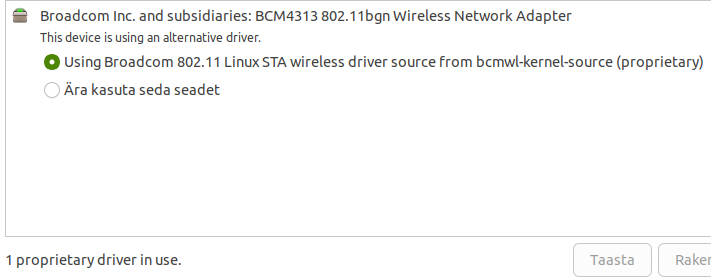
Pulgale olen draiveri paigaldanud: Pilt

Pilt
Manused
Screenshot from 2022-11-20 23-29-45.png
Screenshot from 2022-11-20 23-32-45.png
Screenshot from 2022-11-20 23-32-45.png (2.04 KiB) Vaadatud 6968 korda
Bushido
Pingviini külastaja
Pingviini külastaja
Postitusi: 17
Liitunud: 28.10.2022, 15:29

Postitus Postitas Bushido »

643 kirjutas:
Bushido kirjutas:
643 kirjutas:Mul ühel arvutil oli usb pesa kulunud ja ma kasutasin teist usb pesa.

Ka E392 saab wvdial kasutada.
https://jivoi.github.io/2015/06/26/huaw ... ith-linux/

sätetes pead jälgima, et kas Modem = /dev/ttyUSB0 asub seal.


Kui windowsis modem töötab, siis ka linuxis töötab.
Kas lehel https://jivoi.github.io/2015/06/26/huaw ... ith-linux/ alates "Auto Reconnect" jaotisest tuleb kuhugi sisestada kogu kastides olev sisu?
see määrab võrgu ära ja üldiselt on see eraldi graafilisest linuxist, eriti kui töölaua rakendusi ei kasuta ( terminali linux) s.t see ei sõltu nendest pasadest network manageridest, mis tänapäeva GUI-des on.

/etc/network/interfaces lisada read:
auto ppp0
iface ppp0 inet wvdial


auto reconnect on eraldi skript, millega saab automaatselt ühendada, see on lisa.


KUI SA OMA LINUXIS SAAD MODEMI TÖÖLE SIIS SEDA WVDIALI VAJA EI LÄHE! VÕRGUHALDUR on igas töölaua linuxites olemas ja peaks töötama.
Teisisõnu, kui kasutaja overflow ei oska mind enam aidata, lisan need read vastavasse faili?
overflow
Pingviini kasutaja
Pingviini kasutaja
Postitusi: 56
Liitunud: 05.04.2020, 19:57

Postitus Postitas overflow »

Virtualboxis esimese asjana on Extension Pack nimeline asi vaja installida, kui veel pole installitud. Seejärel Windowsi masin käima ja masina menüüst Device -> USB ja ja siis paned linnukese oma 4G seadmele.
Bushido
Pingviini külastaja
Pingviini külastaja
Postitusi: 17
Liitunud: 28.10.2022, 15:29

Postitus Postitas Bushido »

overflow kirjutas:Virtualboxis esimese asjana on Extension Pack nimeline asi vaja installida, kui veel pole installitud. Seejärel Windowsi masin käima ja masina menüüst Device -> USB ja ja siis paned linnukese oma 4G seadmele.
Manused
Installitud Extension Pack.
Screenshot from 2022-11-21 14-53-02.png (7.59 KiB) Vaadatud 6929 korda
USB sätted
USB sätted
USB filtri andmed
USB filtri andmed
overflow
Pingviini kasutaja
Pingviini kasutaja
Postitusi: 56
Liitunud: 05.04.2020, 19:57

Postitus Postitas overflow »

Masina menüüst Devices -> USB on teistsugune pilt. On nimekiri USB seadmetest. Või siis masina all paremal nurgas USB pistiku pildile paremklikki tehes saab valida USB seadme.
Bushido
Pingviini külastaja
Pingviini külastaja
Postitusi: 17
Liitunud: 28.10.2022, 15:29

Postitus Postitas Bushido »

overflow kirjutas:Masina menüüst Devices -> USB on teistsugune pilt. On nimekiri USB seadmetest. Või siis masina all paremal nurgas USB pistiku pildile paremklikki tehes saab valida USB seadme.
Pilt

Ilmneb, et Virtualboxi kaudu kasutatav Windows 10 tuvastab netipulga kui optical drive'i, mille sisule pääsen Windows Exploreri kaudu juurde. Paigaldasin Mobile Broadband rakenduse ja üritan mõistatada, kas pulgal on parool või mitte ja kui on, siis kuidas selle küsimise nõue eemaldada.
Huvitav, et Mobile Broadband tarkvara ei tuvasta pulka, kuigi näen selle sisu Windows Exploreris.
Manused
Screenshot from 2022-11-22 00-14-54.png
Screenshot from 2022-11-22 00-16-21.png
Screenshot from 2022-11-22 00-16-21.png (11.13 KiB) Vaadatud 6901 korda
overflow
Pingviini kasutaja
Pingviini kasutaja
Postitusi: 56
Liitunud: 05.04.2020, 19:57

Postitus Postitas overflow »

Katsu see PIN siis maha saada.
Aga jällegi. Ma eeldasin, et sa ei näe faile.. ja pulk on vajalikus reziimis.

Mida "sudo lsusb" siis näitab kui pulk on Mass Storage reziimil?
Bushido
Pingviini külastaja
Pingviini külastaja
Postitusi: 17
Liitunud: 28.10.2022, 15:29

Postitus Postitas Bushido »

overflow kirjutas:Katsu see PIN siis maha saada.
Aga jällegi. Ma eeldasin, et sa ei näe faile.. ja pulk on vajalikus reziimis.

Mida "sudo lsusb" siis näitab kui pulk on Mass Storage reziimil?
Modemi tarkvara sain Virtualboxis olevasse Windowsi installitud aga tarkvara ei tuvasta pulka, kuigi Windows tuvastab seda kui optical drive. Kuidas seda USB-na tuvastada VIrtualboxis?

Kood: Vali kõik

Bus 005 Device 001: ID 1d6b:0001 Linux Foundation 1.1 root hub
Bus 002 Device 001: ID 1d6b:0002 Linux Foundation 2.0 root hub
Bus 004 Device 001: ID 1d6b:0001 Linux Foundation 1.1 root hub
Bus 001 Device 004: ID 0461:4e1d Primax Electronics, Ltd HP HD Webcam [Fixed]
Bus 001 Device 008: ID 12d1:1506 Huawei Technologies Co., Ltd. Modem/Networkcard
Bus 001 Device 001: ID 1d6b:0002 Linux Foundation 2.0 root hub
Bus 003 Device 003: ID 0a5c:21e3 Broadcom Corp. HP Portable Valentine
Bus 003 Device 001: ID 1d6b:0001 Linux Foundation 1.1 root hub
Bus 009 Device 001: ID 1d6b:0003 Linux Foundation 3.0 root hub
Bus 008 Device 002: ID 17ef:6019 Lenovo M-U0025-O Mouse
Bus 008 Device 001: ID 1d6b:0002 Linux Foundation 2.0 root hub
Bus 007 Device 001: ID 1d6b:0003 Linux Foundation 3.0 root hub
Bus 006 Device 001: ID 1d6b:0002 Linux Foundation 2.0 root hub
overflow
Pingviini kasutaja
Pingviini kasutaja
Postitusi: 56
Liitunud: 05.04.2020, 19:57

Postitus Postitas overflow »

Tuleb pulk ümber lülitada Mass Storage modest -> Cellular mode peale. Ja siis tõenäoliselt saab Devies -> USB alt lisada.

Paraku pimesi juhendada ei oska.
Bushido
Pingviini külastaja
Pingviini külastaja
Postitusi: 17
Liitunud: 28.10.2022, 15:29

Postitus Postitas Bushido »

overflow kirjutas:Tuleb pulk ümber lülitada Mass Storage modest -> Cellular mode peale. Ja siis tõenäoliselt saab Devies -> USB alt lisada.

Paraku pimesi juhendada ei oska.
Kuna usb_modeswitchiga ei õnnestunud ümberlülitumine, siis usb_modeswitch debug logging andis järgmise tulemuse:

Kood: Vali kõik

USB_ModeSwitch log from Wed Nov 23 15:02:01 EET 2022
Raw parameters: --symlink-name /devices/pci0000:00/0000:00:12.2/usb1/1-1/1-1:1.2/ttyUSB2/tty/ttyUSB2
Use global config file: /etc/usb_modeswitch.conf

Use global config file: /etc/usb_modeswitch.conf
My name is ttyUSB2

Check my endpoints ...
 in /sys/devices/pci0000:00/0000:00:12.2/usb1/1-1/1-1:1.2
  check ep_03 ...
  check ep_84 ...

--> I am not an interrupt port

Return empty name and exit
Süsteemi logi:

Kood: Vali kõik

Nov 23 15:17:30  kernel: [21399.315265] usb 1-1: new high-speed USB device number 12 using ehci-pci
Nov 23 15:17:30  kernel: [21399.475161] usb 1-1: New USB device found, idVendor=12d1, idProduct=1505, bcdDevice= 0.00
Nov 23 15:17:30  kernel: [21399.475174] usb 1-1: New USB device strings: Mfr=3, Product=2, SerialNumber=0
Nov 23 15:17:30  kernel: [21399.475180] usb 1-1: Product: HUAWEI Mobile
Nov 23 15:17:30  kernel: [21399.475184] usb 1-1: Manufacturer: Huawei Technologies
Nov 23 15:17:30  kernel: [21399.477497] usb-storage 1-1:1.0: USB Mass Storage device detected
Nov 23 15:17:30  kernel: [21399.483618] scsi host5: usb-storage 1-1:1.0
Nov 23 15:17:30  mtp-probe: checking bus 1, device 12: "/sys/devices/pci0000:00/0000:00:12.2/usb1/1-1"
Nov 23 15:17:30  mtp-probe: bus: 1, device: 12 was not an MTP device
Nov 23 15:17:30  systemd[1]: Starting USB_ModeSwitch_1-1:1.0...
Nov 23 15:17:30  mtp-probe: checking bus 1, device 12: "/sys/devices/pci0000:00/0000:00:12.2/usb1/1-1"
Nov 23 15:17:30  mtp-probe: bus: 1, device: 12 was not an MTP device
Nov 23 15:17:30  root: usb_modeswitch: use overriding config file /etc/usb_modeswitch.d/12d1:1505; make sure this is intended
Nov 23 15:17:30  root: usb_modeswitch: please report any new or corrected settings; otherwise, check for outdated files
Nov 23 15:17:31  org.gnome.Nautilus[23557]: RuntimeError: object at 0x7f731cf07880 of type OpenDigidocExtension is not initialized
Nov 23 15:17:31  org.gnome.Nautilus[23557]: RuntimeError: object at 0x7f731cfa1b80 of type OpenCryptoExtension is not initialized
Nov 23 15:17:31  usb_modeswitch: switch device 12d1:1505 on 001/012
Nov 23 15:17:31  kernel: [21400.334312] usb 1-1: USB disconnect, device number 12
Nov 23 15:17:31  org.gnome.Nautilus[23557]: RuntimeError: object at 0x7f731cf07880 of type OpenDigidocExtension is not initialized
Nov 23 15:17:31  org.gnome.Nautilus[23557]: RuntimeError: object at 0x7f731cfa1b80 of type OpenCryptoExtension is not initialized
Nov 23 15:17:31  org.gnome.Nautilus[23557]: RuntimeError: object at 0x7f731cf07880 of type OpenDigidocExtension is not initialized
Nov 23 15:17:31  org.gnome.Nautilus[23557]: RuntimeError: object at 0x7f731cfa1b80 of type OpenCryptoExtension is not initialized
Nov 23 15:17:32  org.gnome.Nautilus[23557]: RuntimeError: object at 0x7f731cf07880 of type OpenDigidocExtension is not initialized
Nov 23 15:17:32  org.gnome.Nautilus[23557]: RuntimeError: object at 0x7f731cfa1b80 of type OpenCryptoExtension is not initialized
Nov 23 15:17:33  org.gnome.Nautilus[23557]: RuntimeError: object at 0x7f731cf07880 of type OpenDigidocExtension is not initialized
Nov 23 15:17:33  org.gnome.Nautilus[23557]: RuntimeError: object at 0x7f731cfa1b80 of type OpenCryptoExtension is not initialized
Nov 23 15:17:34  org.gnome.Nautilus[23557]: RuntimeError: object at 0x7f731cf07880 of type OpenDigidocExtension is not initialized
Nov 23 15:17:34  org.gnome.Nautilus[23557]: RuntimeError: object at 0x7f731cfa1b80 of type OpenCryptoExtension is not initialized
Nov 23 15:17:34  org.gnome.Nautilus[23557]: RuntimeError: object at 0x7f731cf07880 of type OpenDigidocExtension is not initialized
Nov 23 15:17:34  org.gnome.Nautilus[23557]: RuntimeError: object at 0x7f731cfa1b80 of type OpenCryptoExtension is not initialized
Nov 23 15:17:35  org.gnome.Nautilus[23557]: RuntimeError: object at 0x7f731cf07880 of type OpenDigidocExtension is not initialized
Nov 23 15:17:35  org.gnome.Nautilus[23557]: RuntimeError: object at 0x7f731cfa1b80 of type OpenCryptoExtension is not initialized
Nov 23 15:17:36  org.gnome.Nautilus[23557]: RuntimeError: object at 0x7f731cf07880 of type OpenDigidocExtension is not initialized
Nov 23 15:17:36  org.gnome.Nautilus[23557]: RuntimeError: object at 0x7f731cfa1b80 of type OpenCryptoExtension is not initialized
Nov 23 15:17:37  org.gnome.Nautilus[23557]: RuntimeError: object at 0x7f731cf07880 of type OpenDigidocExtension is not initialized
Nov 23 15:17:37  org.gnome.Nautilus[23557]: RuntimeError: object at 0x7f731cfa1b80 of type OpenCryptoExtension is not initialized
Nov 23 15:17:38  kernel: [21407.099336] usb 1-1: new high-speed USB device number 13 using ehci-pci
Nov 23 15:17:38  kernel: [21407.259271] usb 1-1: New USB device found, idVendor=12d1, idProduct=1506, bcdDevice= 0.00
Nov 23 15:17:38  kernel: [21407.259284] usb 1-1: New USB device strings: Mfr=4, Product=3, SerialNumber=0
Nov 23 15:17:38  kernel: [21407.259290] usb 1-1: Product: HUAWEI Mobile
Nov 23 15:17:38  kernel: [21407.259294] usb 1-1: Manufacturer: Huawei Technologies
Nov 23 15:17:38  kernel: [21407.262268] option 1-1:1.0: GSM modem (1-port) converter detected
Nov 23 15:17:38  kernel: [21407.262640] usb 1-1: GSM modem (1-port) converter now attached to ttyUSB0
Nov 23 15:17:38  kernel: [21407.262943] option 1-1:1.1: GSM modem (1-port) converter detected
Nov 23 15:17:38  kernel: [21407.266780] usb 1-1: GSM modem (1-port) converter now attached to ttyUSB1
Nov 23 15:17:38  kernel: [21407.267140] option 1-1:1.2: GSM modem (1-port) converter detected
Nov 23 15:17:38  kernel: [21407.269789] usb 1-1: GSM modem (1-port) converter now attached to ttyUSB2
Nov 23 15:17:38  kernel: [21407.275428] qmi_wwan 1-1:1.3: cdc-wdm0: USB WDM device
Nov 23 15:17:38  kernel: [21407.276639] qmi_wwan 1-1:1.3 wwan0: register 'qmi_wwan' at usb-0000:00:12.2-1, WWAN/QMI device, 0e:37:9f:55:22:c0
Nov 23 15:17:38  kernel: [21407.283795] usb-storage 1-1:1.5: USB Mass Storage device detected
Nov 23 15:17:38  kernel: [21407.287680] scsi host5: usb-storage 1-1:1.5
Nov 23 15:17:38  kernel: [21407.288049] usb-storage 1-1:1.6: USB Mass Storage device detected
Nov 23 15:17:38  kernel: [21407.290255] scsi host6: usb-storage 1-1:1.6
Nov 23 15:17:38  mtp-probe: checking bus 1, device 13: "/sys/devices/pci0000:00/0000:00:12.2/usb1/1-1"
Nov 23 15:17:38  mtp-probe: bus: 1, device: 13 was not an MTP device
Nov 23 15:17:38  org.gnome.Nautilus[23557]: RuntimeError: object at 0x7f731cf07880 of type OpenDigidocExtension is not initialized
Nov 23 15:17:38  org.gnome.Nautilus[23557]: RuntimeError: object at 0x7f731cfa1b80 of type OpenCryptoExtension is not initialized
Nov 23 15:17:38  systemd-udevd[24202]: Using default interface naming scheme 'v249'.
Nov 23 15:17:38  org.gnome.Nautilus[23557]: RuntimeError: object at 0x7f731cf07880 of type OpenDigidocExtension is not initialized
Nov 23 15:17:38  org.gnome.Nautilus[23557]: RuntimeError: object at 0x7f731cfa1b80 of type OpenCryptoExtension is not initialized
Nov 23 15:17:39  org.gnome.Nautilus[23557]: RuntimeError: object at 0x7f731cf07880 of type OpenDigidocExtension is not initialized
Nov 23 15:17:39  org.gnome.Nautilus[23557]: RuntimeError: object at 0x7f731cfa1b80 of type OpenCryptoExtension is not initialized
Nov 23 15:17:39  systemd-udevd[24202]: ttyUSB0: Failed to create/update device symlink '/dev/gsmmodem5', ignoring: File exists
Nov 23 15:17:39  org.gnome.Nautilus[23557]: RuntimeError: object at 0x7f731cf07880 of type OpenDigidocExtension is not initialized
Nov 23 15:17:39  org.gnome.Nautilus[23557]: RuntimeError: object at 0x7f731cfa1b80 of type OpenCryptoExtension is not initialized
Nov 23 15:17:39  snapd[1106]: hotplug.go:200: hotplug device add event ignored, enable experimental.hotplug
Nov 23 15:17:39  systemd-udevd[24202]: ttyUSB0: Process '/usr/lib/snapd/snap-device-helper bind snap_modem-manager_mbim-network /devices/pci0000:00/0000:00:12.2/usb1/1-1/1-1:1.0/ttyUSB0 0:0' failed with exit code 1.
Nov 23 15:17:39  systemd-udevd[24202]: ttyUSB0: Process '/usr/lib/snapd/snap-device-helper bind snap_modem-manager_mbimcli /devices/pci0000:00/0000:00:12.2/usb1/1-1/1-1:1.0/ttyUSB0 0:0' failed with exit code 1.
Nov 23 15:17:39  systemd-udevd[24202]: ttyUSB0: Process '/usr/lib/snapd/snap-device-helper bind snap_modem-manager_modemmanager /devices/pci0000:00/0000:00:12.2/usb1/1-1/1-1:1.0/ttyUSB0 0:0' failed with exit code 1.
Nov 23 15:17:39  systemd-udevd[24202]: ttyUSB0: Process '/usr/lib/snapd/snap-device-helper bind snap_modem-manager_qmi-network /devices/pci0000:00/0000:00:12.2/usb1/1-1/1-1:1.0/ttyUSB0 0:0' failed with exit code 1.
Nov 23 15:17:39  systemd-udevd[24202]: ttyUSB0: Process '/usr/lib/snapd/snap-device-helper bind snap_modem-manager_qmicli /devices/pci0000:00/0000:00:12.2/usb1/1-1/1-1:1.0/ttyUSB0 0:0' failed with exit code 1.
Nov 23 15:17:39  org.gnome.Nautilus[23557]: RuntimeError: object at 0x7f731cf07880 of type OpenDigidocExtension is not initialized
Nov 23 15:17:39  org.gnome.Nautilus[23557]: RuntimeError: object at 0x7f731cfa1b80 of type OpenCryptoExtension is not initialized
Nov 23 15:17:39  kernel: [21408.328493] scsi 6:0:0:0: Direct-Access     HUAWEI   SD Storage       2.31 PQ: 0 ANSI: 2
Nov 23 15:17:39  kernel: [21408.329141] sd 6:0:0:0: Attached scsi generic sg1 type 0
Nov 23 15:17:39  kernel: [21408.332010] sd 6:0:0:0: [sdb] Media removed, stopped polling
Nov 23 15:17:39  kernel: [21408.333321] scsi 5:0:0:0: CD-ROM            HUAWEI   Mass Storage     2.31 PQ: 0 ANSI: 0
Nov 23 15:17:39  kernel: [21408.342012] sd 6:0:0:0: [sdb] Attached SCSI removable disk
Nov 23 15:17:39  kernel: [21408.358015] sr 5:0:0:0: [sr0] scsi-1 drive
Nov 23 15:17:39  kernel: [21408.372992] sr 5:0:0:0: Attached scsi CD-ROM sr0
Nov 23 15:17:39  kernel: [21408.373200] sr 5:0:0:0: Attached scsi generic sg2 type 5
Nov 23 15:17:39  org.gnome.Nautilus[23557]: RuntimeError: object at 0x7f731cf07880 of type OpenDigidocExtension is not initialized
Nov 23 15:17:39  org.gnome.Nautilus[23557]: RuntimeError: object at 0x7f731cfa1b80 of type OpenCryptoExtension is not initialized
Nov 23 15:17:39  snapd[1106]: hotplug.go:200: hotplug device add event ignored, enable experimental.hotplug
Nov 23 15:17:39  systemd-udevd[24202]: ttyUSB1: Process '/usr/lib/snapd/snap-device-helper bind snap_modem-manager_mbim-network /devices/pci0000:00/0000:00:12.2/usb1/1-1/1-1:1.1/ttyUSB1 0:0' failed with exit code 1.
Nov 23 15:17:39  systemd-udevd[24202]: ttyUSB1: Process '/usr/lib/snapd/snap-device-helper bind snap_modem-manager_mbimcli /devices/pci0000:00/0000:00:12.2/usb1/1-1/1-1:1.1/ttyUSB1 0:0' failed with exit code 1.
Nov 23 15:17:39  systemd-udevd[24202]: ttyUSB1: Process '/usr/lib/snapd/snap-device-helper bind snap_modem-manager_modemmanager /devices/pci0000:00/0000:00:12.2/usb1/1-1/1-1:1.1/ttyUSB1 0:0' failed with exit code 1.
Nov 23 15:17:39  systemd-udevd[24202]: ttyUSB1: Process '/usr/lib/snapd/snap-device-helper bind snap_modem-manager_qmi-network /devices/pci0000:00/0000:00:12.2/usb1/1-1/1-1:1.1/ttyUSB1 0:0' failed with exit code 1.
Nov 23 15:17:39  snapd[1106]: hotplug.go:200: hotplug device add event ignored, enable experimental.hotplug
Nov 23 15:17:39  systemd-udevd[24202]: ttyUSB1: Process '/usr/lib/snapd/snap-device-helper bind snap_modem-manager_qmicli /devices/pci0000:00/0000:00:12.2/usb1/1-1/1-1:1.1/ttyUSB1 0:0' failed with exit code 1.
Nov 23 15:17:39  systemd-udevd[24176]: ttyUSB2: Process '/usr/lib/snapd/snap-device-helper bind snap_modem-manager_mbim-network /devices/pci0000:00/0000:00:12.2/usb1/1-1/1-1:1.2/ttyUSB2 0:0' failed with exit code 1.
Nov 23 15:17:39  systemd-udevd[24176]: ttyUSB2: Process '/usr/lib/snapd/snap-device-helper bind snap_modem-manager_mbimcli /devices/pci0000:00/0000:00:12.2/usb1/1-1/1-1:1.2/ttyUSB2 0:0' failed with exit code 1.
Nov 23 15:17:39  systemd-udevd[24176]: ttyUSB2: Process '/usr/lib/snapd/snap-device-helper bind snap_modem-manager_modemmanager /devices/pci0000:00/0000:00:12.2/usb1/1-1/1-1:1.2/ttyUSB2 0:0' failed with exit code 1.
Nov 23 15:17:39  systemd-udevd[24176]: ttyUSB2: Process '/usr/lib/snapd/snap-device-helper bind snap_modem-manager_qmi-network /devices/pci0000:00/0000:00:12.2/usb1/1-1/1-1:1.2/ttyUSB2 0:0' failed with exit code 1.
Nov 23 15:17:39  org.gnome.Nautilus[23557]: RuntimeError: object at 0x7f731cf07880 of type OpenDigidocExtension is not initialized
Nov 23 15:17:39  org.gnome.Nautilus[23557]: RuntimeError: object at 0x7f731cfa1b80 of type OpenCryptoExtension is not initialized
Nov 23 15:17:39  systemd-udevd[24176]: ttyUSB2: Process '/usr/lib/snapd/snap-device-helper bind snap_modem-manager_qmicli /devices/pci0000:00/0000:00:12.2/usb1/1-1/1-1:1.2/ttyUSB2 0:0' failed with exit code 1.
Nov 23 15:17:40  mtp-probe: checking bus 1, device 13: "/sys/devices/pci0000:00/0000:00:12.2/usb1/1-1"
Nov 23 15:17:40  mtp-probe: bus: 1, device: 13 was not an MTP device
Nov 23 15:17:40  systemd-udevd[24192]: sdb: Process '/usr/bin/unshare -m /usr/bin/snap auto-import --mount=/dev/sdb' failed with exit code 1.
Nov 23 15:17:40  systemd-udevd[24176]: sr0: Process '/usr/bin/unshare -m /usr/bin/snap auto-import --mount=/dev/sr0' failed with exit code 1.
Nov 23 15:17:40  ModemManager[1207]: [/dev/cdc-wdm0] Opening device with flags 'version-info, proxy'...
Nov 23 15:17:40  ModemManager[1207]: [/dev/cdc-wdm0] created endpoint
Nov 23 15:17:40  ModemManager[1207]: [/dev/cdc-wdm0] Checking version info (45 retries)...
Nov 23 15:17:40  org.gnome.Nautilus[23557]: RuntimeError: object at 0x7f731cf07880 of type OpenDigidocExtension is not initialized
Nov 23 15:17:40  org.gnome.Nautilus[23557]: RuntimeError: object at 0x7f731cfa1b80 of type OpenCryptoExtension is not initialized
Nov 23 15:17:41  org.gnome.Nautilus[23557]: RuntimeError: object at 0x7f731cf07880 of type OpenDigidocExtension is not initialized
Nov 23 15:17:41  org.gnome.Nautilus[23557]: RuntimeError: object at 0x7f731cfa1b80 of type OpenCryptoExtension is not initialized
Nov 23 15:17:41  ModemManager[1207]: transaction 0x2 aborted, but message is not abortable
Nov 23 15:17:42  org.gnome.Nautilus[23557]: RuntimeError: object at 0x7f731cf07880 of type OpenDigidocExtension is not initialized
Nov 23 15:17:42  org.gnome.Nautilus[23557]: RuntimeError: object at 0x7f731cfa1b80 of type OpenCryptoExtension is not initialized
Nov 23 15:17:42  kernel: [21410.892106] ISO 9660 Extensions: Microsoft Joliet Level 1
Nov 23 15:17:42  kernel: [21410.898476] ISOFS: changing to secondary root
Nov 23 15:17:42  udisksd[1112]: Mounted /dev/sr0 at /media/olav/Mobile Broadband on behalf of uid 1000
Nov 23 15:17:42  org.gnome.Nautilus[23557]: RuntimeError: object at 0x7f731cf07880 of type OpenDigidocExtension is not initialized
Nov 23 15:17:42  org.gnome.Nautilus[23557]: RuntimeError: object at 0x7f731cfa1b80 of type OpenCryptoExtension is not initialized
Nov 23 15:17:42  ModemManager[1207]: transaction 0x3 aborted, but message is not abortable
Nov 23 15:17:42  ModemManager[1207]: [/dev/cdc-wdm0] QMI Device supports 13 services:
Nov 23 15:17:42  ModemManager[1207]: [/dev/cdc-wdm0]    ctl (1.5)
Nov 23 15:17:42  ModemManager[1207]: [/dev/cdc-wdm0]    wds (1.12)
Nov 23 15:17:42  ModemManager[1207]: [/dev/cdc-wdm0]    dms (1.6)
Nov 23 15:17:42  ModemManager[1207]: [/dev/cdc-wdm0]    nas (1.8)
Nov 23 15:17:42  ModemManager[1207]: [/dev/cdc-wdm0]    qos (1.3)
Nov 23 15:17:42  ModemManager[1207]: [/dev/cdc-wdm0]    wms (1.3)
Nov 23 15:17:42  ModemManager[1207]: [/dev/cdc-wdm0]    pds (1.10)
Nov 23 15:17:42  ModemManager[1207]: [/dev/cdc-wdm0]    auth (1.1)
Nov 23 15:17:42  ModemManager[1207]: [/dev/cdc-wdm0]    voice (2.1)
Nov 23 15:17:42  ModemManager[1207]: [/dev/cdc-wdm0]    cat2 (2.0)
Nov 23 15:17:42  ModemManager[1207]: [/dev/cdc-wdm0]    uim (1.4)
Nov 23 15:17:42  ModemManager[1207]: [/dev/cdc-wdm0]    pbm (1.4)
Nov 23 15:17:42  ModemManager[1207]: [/dev/cdc-wdm0]    cat (0.0)
Nov 23 15:17:43  org.gnome.Nautilus[23557]: RuntimeError: object at 0x7f731cf07880 of type OpenDigidocExtension is not initialized
Nov 23 15:17:43  org.gnome.Nautilus[23557]: RuntimeError: object at 0x7f731cfa1b80 of type OpenCryptoExtension is not initialized
Nov 23 15:17:44  org.gnome.Nautilus[23557]: RuntimeError: object at 0x7f731cf07880 of type OpenDigidocExtension is not initialized
Nov 23 15:17:44  org.gnome.Nautilus[23557]: RuntimeError: object at 0x7f731cfa1b80 of type OpenCryptoExtension is not initialized
Nov 23 15:17:45  org.gnome.Nautilus[23557]: RuntimeError: object at 0x7f731cf07880 of type OpenDigidocExtension is not initialized
Nov 23 15:17:45  org.gnome.Nautilus[23557]: RuntimeError: object at 0x7f731cfa1b80 of type OpenCryptoExtension is not initialized
Nov 23 15:17:45  org.gnome.Nautilus[23557]: RuntimeError: object at 0x7f731cf07880 of type OpenDigidocExtension is not initialized
Nov 23 15:17:45  org.gnome.Nautilus[23557]: RuntimeError: object at 0x7f731cfa1b80 of type OpenCryptoExtension is not initialized
Nov 23 15:17:46  org.gnome.Nautilus[23557]: RuntimeError: object at 0x7f731cf07880 of type OpenDigidocExtension is not initialized
Nov 23 15:17:46  org.gnome.Nautilus[23557]: RuntimeError: object at 0x7f731cfa1b80 of type OpenCryptoExtension is not initialized
Nov 23 15:17:47  org.gnome.Nautilus[23557]: RuntimeError: object at 0x7f731cf07880 of type OpenDigidocExtension is not initialized
Nov 23 15:17:47  org.gnome.Nautilus[23557]: RuntimeError: object at 0x7f731cfa1b80 of type OpenCryptoExtension is not initialized
Nov 23 15:17:48  org.gnome.Nautilus[23557]: RuntimeError: object at 0x7f731cf07880 of type OpenDigidocExtension is not initialized
Nov 23 15:17:48  org.gnome.Nautilus[23557]: RuntimeError: object at 0x7f731cfa1b80 of type OpenCryptoExtension is not initialized
Nov 23 15:17:49  org.gnome.Nautilus[23557]: RuntimeError: object at 0x7f731cf07880 of type OpenDigidocExtension is not initialized
Nov 23 15:17:49  org.gnome.Nautilus[23557]: RuntimeError: object at 0x7f731cfa1b80 of type OpenCryptoExtension is not initialized
Nov 23 15:17:50  org.gnome.Nautilus[23557]: RuntimeError: object at 0x7f731cf07880 of type OpenDigidocExtension is not initialized
Nov 23 15:17:50  org.gnome.Nautilus[23557]: RuntimeError: object at 0x7f731cfa1b80 of type OpenCryptoExtension is not initialized
Nov 23 15:17:51  systemd[1]: usb_modeswitch@1-1:1.0.service: Deactivated successfully.
Nov 23 15:17:51  systemd[1]: Finished USB_ModeSwitch_1-1:1.0.
Nov 23 15:17:51  org.gnome.Nautilus[23557]: RuntimeError: object at 0x7f731cf07880 of type OpenDigidocExtension is not initialized
Nov 23 15:17:51  org.gnome.Nautilus[23557]: RuntimeError: object at 0x7f731cfa1b80 of type OpenCryptoExtension is not initialized
Nov 23 15:17:54  org.gnome.Nautilus[23557]: RuntimeError: object at 0x7f731cf07880 of type OpenDigidocExtension is not initialized
Nov 23 15:17:54  org.gnome.Nautilus[23557]: RuntimeError: object at 0x7f731cfa1b80 of type OpenCryptoExtension is not initialized
Nov 23 15:17:56  ModemManager[1207]: <info>  [device /sys/devices/pci0000:00/0000:00:12.2/usb1/1-1] creating modem with plugin 'huawei' and '5' ports
Nov 23 15:17:56  ModemManager[1207]: <info>  [base-manager] modem for device '/sys/devices/pci0000:00/0000:00:12.2/usb1/1-1' successfully created
Nov 23 15:17:56  org.gnome.Nautilus[23557]: RuntimeError: object at 0x7f731cf07880 of type OpenDigidocExtension is not initialized
Nov 23 15:17:56  org.gnome.Nautilus[23557]: RuntimeError: object at 0x7f731cfa1b80 of type OpenCryptoExtension is not initialized
Nov 23 15:17:56  ModemManager[1207]: [/dev/cdc-wdm0] Opening device with flags 'version-info, proxy'...
Nov 23 15:17:56  ModemManager[1207]: [/dev/cdc-wdm0] created endpoint
Nov 23 15:17:56  ModemManager[1207]: [/dev/cdc-wdm0] Checking version info (45 retries)...
Nov 23 15:17:56  ModemManager[1207]: [/dev/cdc-wdm0] QMI Device supports 13 services:
Nov 23 15:17:56  ModemManager[1207]: [/dev/cdc-wdm0]    ctl (1.5)
Nov 23 15:17:56  ModemManager[1207]: [/dev/cdc-wdm0]    wds (1.12)
Nov 23 15:17:56  ModemManager[1207]: [/dev/cdc-wdm0]    dms (1.6)
Nov 23 15:17:56  ModemManager[1207]: [/dev/cdc-wdm0]    nas (1.8)
Nov 23 15:17:56  ModemManager[1207]: [/dev/cdc-wdm0]    qos (1.3)
Nov 23 15:17:56  ModemManager[1207]: [/dev/cdc-wdm0]    wms (1.3)
Nov 23 15:17:56  ModemManager[1207]: [/dev/cdc-wdm0]    pds (1.10)
Nov 23 15:17:56  ModemManager[1207]: [/dev/cdc-wdm0]    auth (1.1)
Nov 23 15:17:56  ModemManager[1207]: [/dev/cdc-wdm0]    voice (2.1)
Nov 23 15:17:56  ModemManager[1207]: [/dev/cdc-wdm0]    cat2 (2.0)
Nov 23 15:17:56  ModemManager[1207]: [/dev/cdc-wdm0]    uim (1.4)
Nov 23 15:17:56  ModemManager[1207]: [/dev/cdc-wdm0]    pbm (1.4)
Nov 23 15:17:56  ModemManager[1207]: [/dev/cdc-wdm0]    cat (0.0)
Nov 23 15:17:56  ModemManager[1207]: <warn>  [modem3/cdc-wdm0/qmi] Couldn't setup data format: Service 'wda' not supported by the device
Nov 23 15:17:56  ModemManager[1207]: [/dev/cdc-wdm0] Opening device with flags 'version-info, net-802-3, net-no-qos-header, proxy'...
Nov 23 15:17:56  ModemManager[1207]: [/dev/cdc-wdm0] created endpoint
Nov 23 15:17:56  ModemManager[1207]: [/dev/cdc-wdm0] Checking version info (10 retries)...
Nov 23 15:17:56  ModemManager[1207]: [/dev/cdc-wdm0] QMI Device supports 13 services:
Nov 23 15:17:56  ModemManager[1207]: [/dev/cdc-wdm0]    ctl (1.5)
Nov 23 15:17:56  ModemManager[1207]: [/dev/cdc-wdm0]    wds (1.12)
Nov 23 15:17:56  ModemManager[1207]: [/dev/cdc-wdm0]    dms (1.6)
Nov 23 15:17:56  ModemManager[1207]: [/dev/cdc-wdm0]    nas (1.8)
Nov 23 15:17:56  ModemManager[1207]: [/dev/cdc-wdm0]    qos (1.3)
Nov 23 15:17:56  ModemManager[1207]: [/dev/cdc-wdm0]    wms (1.3)
Nov 23 15:17:56  ModemManager[1207]: [/dev/cdc-wdm0]    pds (1.10)
Nov 23 15:17:56  ModemManager[1207]: [/dev/cdc-wdm0]    auth (1.1)
Nov 23 15:17:56  ModemManager[1207]: [/dev/cdc-wdm0]    voice (2.1)
Nov 23 15:17:56  ModemManager[1207]: [/dev/cdc-wdm0]    cat2 (2.0)
Nov 23 15:17:56  ModemManager[1207]: [/dev/cdc-wdm0]    uim (1.4)
Nov 23 15:17:56  ModemManager[1207]: [/dev/cdc-wdm0]    pbm (1.4)
Nov 23 15:17:56  ModemManager[1207]: [/dev/cdc-wdm0]    cat (0.0)
Nov 23 15:17:56  ModemManager[1207]: [/dev/cdc-wdm0] Setting network port data format...
Nov 23 15:17:56  ModemManager[1207]: [/dev/cdc-wdm0] Network port data format operation finished
Nov 23 15:17:56  ModemManager[1207]: [/dev/cdc-wdm0] Allocating new client ID...
Nov 23 15:17:56  ModemManager[1207]: [/dev/cdc-wdm0] Registered 'dms' (version 1.6) client with ID '1'
Nov 23 15:17:56  ModemManager[1207]: [/dev/cdc-wdm0] Allocating new client ID...
Nov 23 15:17:56  ModemManager[1207]: [/dev/cdc-wdm0] Registered 'nas' (version 1.8) client with ID '1'
Nov 23 15:17:56  ModemManager[1207]: [/dev/cdc-wdm0] Allocating new client ID...
Nov 23 15:17:56  ModemManager[1207]: [/dev/cdc-wdm0] Registered 'wds' (version 1.12) client with ID '1'
Nov 23 15:17:56  ModemManager[1207]: [/dev/cdc-wdm0] Allocating new client ID...
Nov 23 15:17:56  ModemManager[1207]: [/dev/cdc-wdm0] Registered 'wms' (version 1.3) client with ID '1'
Nov 23 15:17:56  ModemManager[1207]: [/dev/cdc-wdm0] Allocating new client ID...
Nov 23 15:17:56  ModemManager[1207]: [/dev/cdc-wdm0] Registered 'pds' (version 1.10) client with ID '1'
Nov 23 15:17:56  ModemManager[1207]: [/dev/cdc-wdm0] Allocating new client ID...
Nov 23 15:17:56  ModemManager[1207]: [/dev/cdc-wdm0] Registered 'uim' (version 1.4) client with ID '1'
Nov 23 15:17:56  ModemManager[1207]: [/dev/cdc-wdm0] Allocating new client ID...
Nov 23 15:17:56  ModemManager[1207]: [/dev/cdc-wdm0] Registered 'voice' (version 2.1) client with ID '1'
Nov 23 15:17:56  ModemManager[1207]: <warn>  [modem3] couldn't load carrier config: QMI PDC not supported
Nov 23 15:17:57  ModemManager[1207]: <warn>  [modem3] couldn't query SIM slots: QMI protocol error (71): 'InvalidQmiCommand'
Nov 23 15:17:57  ModemManager[1207]: <warn>  [modem3/sim3] couldn't load list of emergency numbers: Failed to parse CRSM query result '+CRSM: 105,129,""'
Nov 23 15:17:57  ModemManager[1207]: <warn>  [modem3] couldn't load list of own numbers: Couldn't get MSISDN: QMI protocol error (16): 'NotProvisioned'
Nov 23 15:17:57  ModemManager[1207]: <warn>  [modem3] couldn't load initial EPS bearer settings: Couldn't get LTE attach PDN list: QMI protocol error (71): 'InvalidQmiCommand'
Nov 23 15:17:57  ModemManager[1207]: <info>  [modem3] state changed (unknown -> disabled)
Nov 23 15:17:57  NetworkManager[1077]: <info>  [1669209477.2896] manager: (cdc-wdm0): new Broadband device (/org/freedesktop/NetworkManager/Devices/7)
Nov 23 15:17:57  NetworkManager[1077]: <info>  [1669209477.2905] device (cdc-wdm0): state change: unmanaged -> unavailable (reason 'managed', sys-iface-state: 'external')
Nov 23 15:17:57  NetworkManager[1077]: <info>  [1669209477.2916] device (cdc-wdm0): modem state 'enabling'
Nov 23 15:17:57  NetworkManager[1077]: <info>  [1669209477.2925] device (cdc-wdm0): state change: unavailable -> disconnected (reason 'none', sys-iface-state: 'managed')
Nov 23 15:17:57  NetworkManager[1077]: <info>  [1669209477.2934] policy: auto-activating connection 'Tele2 Vaikimisi 1' (ef118cec-e3c1-401a-83d8-e37e181fed9e)
Nov 23 15:17:57  NetworkManager[1077]: <info>  [1669209477.2972] device (cdc-wdm0): Activation: starting connection 'Tele2 Vaikimisi 1' (ef118cec-e3c1-401a-83d8-e37e181fed9e)
Nov 23 15:17:57  NetworkManager[1077]: <info>  [1669209477.2975] device (cdc-wdm0): state change: disconnected -> prepare (reason 'none', sys-iface-state: 'managed')
Nov 23 15:17:57  ModemManager[1207]: <info>  [modem3] state changed (disabled -> enabling)
Nov 23 15:17:57  ModemManager[1207]: <info>  [modem3] power state updated: on
Nov 23 15:17:57  ModemManager[1207]: <info>  [modem3] simple connect started...
Nov 23 15:17:57  ModemManager[1207]: <info>  [modem3] simple connect state (4/8): wait to get fully enabled
Nov 23 15:17:57  gnome-shell[1550]: JS ERROR: TypeError: this._proxy.SignalQuality is null#012_reloadSignalQuality@resource:///org/gnome/shell/misc/modemManager.js:266:34#012_init@resource:///org/gnome/shell/misc/modemManager.js:248:14#012ModemBase@resource:///org/gnome/shell/misc/modemManager.js:113:4#012BroadbandModem@resource:///org/gnome/shell/misc/modemManager.js:237:4#012NMDeviceModem@resource:///org/gnome/shell/ui/status/network.js:554:34#012_deviceAdded@resource:///org/gnome/shell/ui/status/network.js:1832:27
Nov 23 15:17:57  ModemManager[1207]: <info>  [modem3] state changed (enabling -> enabled)
Nov 23 15:17:57  ModemManager[1207]: <info>  [modem3] simple connect state (5/8): register
Nov 23 15:17:57  ModemManager[1207]: <info>  [modem3] 3GPP registration state changed (unknown -> registering)
Nov 23 15:17:57  ModemManager[1207]: <info>  [modem3] 3GPP registration state changed (registering -> home)
Nov 23 15:17:57  ModemManager[1207]: <info>  [modem3] state changed (enabled -> registered)
Nov 23 15:17:57  ModemManager[1207]: <info>  [modem3] simple connect state (6/8): bearer
Nov 23 15:17:57  ModemManager[1207]: <info>  [modem3] simple connect state (7/8): connect
Nov 23 15:17:57  ModemManager[1207]: <info>  [modem3] state changed (registered -> connecting)
Nov 23 15:17:57  ModemManager[1207]: [/dev/cdc-wdm0] Allocating new client ID...
Nov 23 15:17:57  ModemManager[1207]: [/dev/cdc-wdm0] Registered 'wds' (version 1.12) client with ID '2'
Nov 23 15:17:57  ModemManager[1207]: <info>  [modem3/bearer3] QMI IPv4 Settings:
Nov 23 15:17:57  ModemManager[1207]: <info>  [modem3/bearer3]     address: 10.137.138.229/30
Nov 23 15:17:57  ModemManager[1207]: <info>  [modem3/bearer3]     gateway: 10.137.138.230
Nov 23 15:17:57  ModemManager[1207]: <info>  [modem3/bearer3]     DNS #1: 193.12.150.72
Nov 23 15:17:57  ModemManager[1207]: <info>  [modem3/bearer3]     DNS #2: 212.247.152.72
Nov 23 15:17:57  ModemManager[1207]: <info>  [modem3/bearer3]        MTU: 1500
Nov 23 15:17:57  ModemManager[1207]: [/dev/cdc-wdm0] Allocating new client ID...
Nov 23 15:17:57  ModemManager[1207]: [/dev/cdc-wdm0] Registered 'wds' (version 1.12) client with ID '3'
Nov 23 15:17:57  ModemManager[1207]: <info>  [modem3/bearer3] couldn't start network: QMI protocol error (14): 'CallFailed'
Nov 23 15:17:57  ModemManager[1207]: <info>  [modem3/bearer3] verbose call end reason (2,204): [internal] unknown-cause
Nov 23 15:17:57  ModemManager[1207]: <info>  [modem3] state changed (connecting -> connected)
Nov 23 15:17:57  ModemManager[1207]: <info>  [modem3] simple connect state (8/8): all done
Nov 23 15:17:57  NetworkManager[1077]: <info>  [1669209477.9784] device (cdc-wdm0): state change: prepare -> config (reason 'none', sys-iface-state: 'managed')
Nov 23 15:17:57  NetworkManager[1077]: <info>  [1669209477.9792] device (cdc-wdm0): state change: config -> ip-config (reason 'none', sys-iface-state: 'managed')
Nov 23 15:17:57  NetworkManager[1077]: <info>  [1669209477.9865] dhcp4 (wwan0): activation: beginning transaction (timeout in 15 seconds)
Nov 23 15:17:57  NetworkManager[1077]: <warn>  [1669209477.9877] device (cdc-wdm0): retrieving IP configuration failed: modem IP method unsupported
Nov 23 15:17:58  NetworkManager[1077]: <info>  [1669209478.0816] dhcp4 (wwan0): state changed new lease, address=10.137.138.229
Nov 23 15:17:58  avahi-daemon[1073]: Joining mDNS multicast group on interface wwan0.IPv4 with address 10.137.138.229.
Nov 23 15:17:58  avahi-daemon[1073]: New relevant interface wwan0.IPv4 for mDNS.
Nov 23 15:17:58  avahi-daemon[1073]: Registering new address record for 10.137.138.229 on wwan0.IPv4.
Nov 23 15:17:58  dbus-daemon[1076]: [system] Activating via systemd: service name='org.freedesktop.nm_dispatcher' unit='dbus-org.freedesktop.nm-dispatcher.service' requested by ':1.15' (uid=0 pid=1077 comm="/usr/sbin/NetworkManager --no-daemon " label="unconfined")
Nov 23 15:17:58  NetworkManager[1077]: <info>  [1669209478.1005] device (cdc-wdm0): state change: ip-config -> ip-check (reason 'none', sys-iface-state: 'managed')
Nov 23 15:17:58  systemd[1]: Starting Network Manager Script Dispatcher Service...
Nov 23 15:17:58  dbus-daemon[1076]: [system] Successfully activated service 'org.freedesktop.nm_dispatcher'
Nov 23 15:17:58  systemd[1]: Started Network Manager Script Dispatcher Service.
Nov 23 15:17:58  NetworkManager[1077]: <info>  [1669209478.1323] device (cdc-wdm0): state change: ip-check -> secondaries (reason 'none', sys-iface-state: 'managed')
Nov 23 15:17:58  NetworkManager[1077]: <info>  [1669209478.1327] device (cdc-wdm0): state change: secondaries -> activated (reason 'none', sys-iface-state: 'managed')
Nov 23 15:17:58  NetworkManager[1077]: <info>  [1669209478.1335] device (cdc-wdm0): Activation: successful, device activated.
Nov 23 15:17:59  org.gnome.Nautilus[23557]: RuntimeError: object at 0x7f731cf07880 of type OpenDigidocExtension is not initialized
Nov 23 15:17:59  org.gnome.Nautilus[23557]: RuntimeError: object at 0x7f731cfa1b80 of type OpenCryptoExtension is not initialized
Nov 23 15:18:01  org.gnome.Nautilus[23557]: RuntimeError: object at 0x7f731cf07880 of type OpenDigidocExtension is not initialized
Nov 23 15:18:01  org.gnome.Nautilus[23557]: RuntimeError: object at 0x7f731cfa1b80 of type OpenCryptoExtension is not initialized
Nov 23 15:18:04  org.gnome.Nautilus[23557]: RuntimeError: object at 0x7f731cf07880 of type OpenDigidocExtension is not initialized
Nov 23 15:18:04  org.gnome.Nautilus[23557]: RuntimeError: object at 0x7f731cfa1b80 of type OpenCryptoExtension is not initialized
Nov 23 15:18:06  org.gnome.Nautilus[23557]: RuntimeError: object at 0x7f731cf07880 of type OpenDigidocExtension is not initialized
Nov 23 15:18:06  org.gnome.Nautilus[23557]: RuntimeError: object at 0x7f731cfa1b80 of type OpenCryptoExtension is not initialized
Nov 23 15:18:08  systemd[1]: NetworkManager-dispatcher.service: Deactivated successfully
dmesg | grep -i 12d1:

Kood: Vali kõik

[ 2373.463975] usb 1-1: New USB device found, idVendor=12d1, idProduct=1505, bcdDevice= 0.00
[ 2381.255494] usb 1-1: New USB device found, idVendor=12d1, idProduct=1506, bcdDevice= 0.00
[ 2523.997189] usb 1-1: New USB device found, idVendor=12d1, idProduct=1505, bcdDevice= 0.00
[ 2531.846128] usb 1-1: New USB device found, idVendor=12d1, idProduct=1506, bcdDevice= 0.00
[20462.313639] usb 1-1: New USB device found, idVendor=12d1, idProduct=1505, bcdDevice= 0.00
[20470.001799] usb 1-1: New USB device found, idVendor=12d1, idProduct=1506, bcdDevice= 0.00
[21399.475161] usb 1-1: New USB device found, idVendor=12d1, idProduct=1505, bcdDevice= 0.00
[21407.259271] usb 1-1: New USB device found, idVendor=12d1, idProduct=1506, bcdDevice= 0.00
usb_modeswitch -v 12d1 -p 1506 -M '55534243123456780000000000000011062000000100000000000000000000' :

Kood: Vali kõik

Look for default devices ...
 Found devices in default mode (1)
Access device 015 on bus 001
Get the current device configuration ...
Current configuration number is 1
Use interface number 0
 with class 255
Error: can't use storage command in MessageContent with interface 0; interface class is 255, expected 8. Abort
sudo usb_modeswitch -c /etc/usb_modeswitch.conf:

Kood: Vali kõik

Look for target devices ...
 Found devices in target mode or class (1)
Look for default devices ...
 No devices in default mode found. Nothing to do. Bye!
Kas ja mis valesti?
Kasutaja avatar
DaStoned
Pingviini aktivist
Pingviini aktivist
Postitusi: 395
Liitunud: 11.01.2007, 16:23

Postitus Postitas DaStoned »

Sellised read viitavad sellele, et modem on edukalt leitud ja süsteemis olemas. ModemManager saab QMI liidese lahti, sealt IP ja muu konfi kätte (paraku seda annab modem vist ilma data ühendusetagi). Minu meelest modeswitch pole vajalik või on juba tehtud.

Kood: Vali kõik

Nov 23 15:17:57  ModemManager[1207]: <info>  [modem3] state changed (disabled -> enabling)
Nov 23 15:17:57  ModemManager[1207]: <info>  [modem3] power state updated: on
Nov 23 15:17:57  ModemManager[1207]: <info>  [modem3] simple connect started...
Nov 23 15:17:57  ModemManager[1207]: <info>  [modem3] simple connect state (4/8): wait to get fully enabled
Nov 23 15:17:57  gnome-shell[1550]: JS ERROR: TypeError: this._proxy.SignalQuality is null#012_reloadSignalQuality@resource:///org/gnome/shell/misc/modemManager.js:266:34#012_init@resource:///org/gnome/shell/misc/modemManager.js:248:14#012ModemBase@resource:///org/gnome/shell/misc/modemManager.js:113:4#012BroadbandModem@resource:///org/gnome/shell/misc/modemManager.js:237:4#012NMDeviceModem@resource:///org/gnome/shell/ui/status/network.js:554:34#012_deviceAdded@resource:///org/gnome/shell/ui/status/network.js:1832:27
Nov 23 15:17:57  ModemManager[1207]: <info>  [modem3] state changed (enabling -> enabled)
Nov 23 15:17:57  ModemManager[1207]: <info>  [modem3] simple connect state (5/8): register
Nov 23 15:17:57  ModemManager[1207]: <info>  [modem3] 3GPP registration state changed (unknown -> registering)
Nov 23 15:17:57  ModemManager[1207]: <info>  [modem3] 3GPP registration state changed (registering -> home)
Nov 23 15:17:57  ModemManager[1207]: <info>  [modem3] state changed (enabled -> registered)
Nov 23 15:17:57  ModemManager[1207]: <info>  [modem3] simple connect state (6/8): bearer
Nov 23 15:17:57  ModemManager[1207]: <info>  [modem3] simple connect state (7/8): connect
Nov 23 15:17:57  ModemManager[1207]: <info>  [modem3] state changed (registered -> connecting)
Nov 23 15:17:57  ModemManager[1207]: [/dev/cdc-wdm0] Allocating new client ID...
Nov 23 15:17:57  ModemManager[1207]: [/dev/cdc-wdm0] Registered 'wds' (version 1.12) client with ID '2'
Nov 23 15:17:57  ModemManager[1207]: <info>  [modem3/bearer3] QMI IPv4 Settings:
Nov 23 15:17:57  ModemManager[1207]: <info>  [modem3/bearer3]     address: 10.137.138.229/30
Nov 23 15:17:57  ModemManager[1207]: <info>  [modem3/bearer3]     gateway: 10.137.138.230
Nov 23 15:17:57  ModemManager[1207]: <info>  [modem3/bearer3]     DNS #1: 193.12.150.72
Nov 23 15:17:57  ModemManager[1207]: <info>  [modem3/bearer3]     DNS #2: 212.247.152.72
Nov 23 15:17:57  ModemManager[1207]: <info>  [modem3/bearer3]        MTU: 1500
Nov 23 15:17:57  ModemManager[1207]: [/dev/cdc-wdm0] Allocating new client ID...
Nov 23 15:17:57  ModemManager[1207]: [/dev/cdc-wdm0] Registered 'wds' (version 1.12) client with ID '3'
Nov 23 15:17:57  ModemManager[1207]: <info>  [modem3/bearer3] couldn't start network: QMI protocol error (14): 'CallFailed'
Nov 23 15:17:57  ModemManager[1207]: <info>  [modem3/bearer3] verbose call end reason (2,204): [internal] unknown-cause
Nov 23 15:17:57  ModemManager[1207]: <info>  [modem3] state changed (connecting -> connected)
Nov 23 15:17:57  ModemManager[1207]: <info>  [modem3] simple connect state (8/8): all done
Järgmine samm oleks aru saada, miks modem võrku ei pääse. Võtmeküsimus tundub olevat siin real oleva vea lahtimuukimine.

Kood: Vali kõik

ov 23 15:17:57  ModemManager[1207]: <info>  [modem3/bearer3] couldn't start network: QMI protocol error (14): 'CallFailed'
Sry, ma ei viitsi selle vestluse ajalugu uurida. Oled sa kindel, et SIM kaart on aktiveeritud, teenus tellitud, PIN maas jne?
When the shit hits the fan, keep your mouth shut!
Vasta